
404 vs 410 Errors
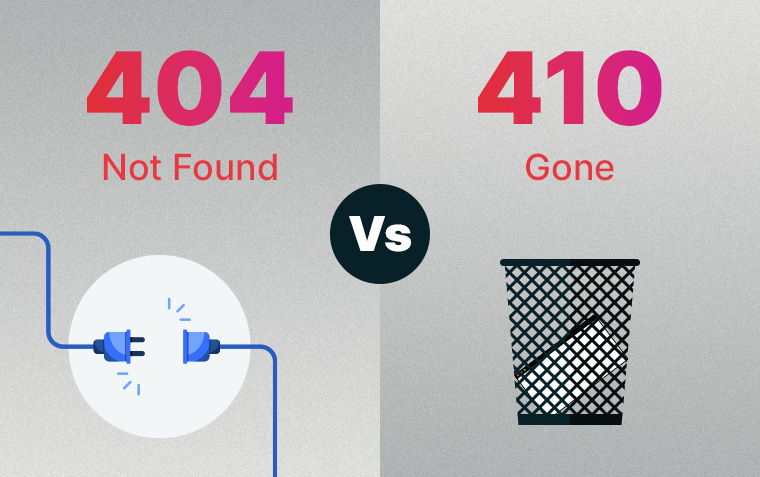
You’ve probably experienced a 404 error on the internet before.
But did you know there are many different HTTP status codes that tell the server what’s happening? If everything on a website is set up and behaving as it should, you won’t see any of them. When something goes wrong, however, users will notice. Displaying an error code tells users that the webpage they’re trying to reach isn’t available, and the code itself communicates important information to search engines.
A perfect example of this is the 404 Not Found and 410 Gone errors.
What is a 404 Error?
A 404 Not Found error is used when the server can’t find the resource being requested. From a user’s perspective, this happens when the URL they’ve entered – or been linked to – is incorrect.
You don’t need to do anything special to set up a 404 error.
Common Causes of 404 Errors
- The page has been deleted
- The URL entered is incorrect
- The URL was misremembered
- There are typos in the URL
- The link is broken
- The link contains a typo
How Search Engines Treat 404s
When search engine crawlers detect that a page is returning a 404 error, they gradually reduce how often they crawl it. After multiple crawl cycles with the same response, the page will be de-indexed and stop appearing in search results.
What is a 410 Error?
A 410 Gone error is used when the server knows the page previously existed but has been permanently removed. It clearly indicates intentional deletion and is commonly used for content that expires, such as:
- Job listings
- Certain blog posts
- Old products or categories on an eCommerce website with no clear replacement
This needs to be set up in the back end. Good web developers will be able to do this for you and provide advice.
How Search Engines Treat 410s
A 410 error communicates to search engines that a page has been removed intentionally and permanently. This signals them to respond more quickly by de-indexing the page and removing it from search results sooner.
Key Differences Between 404 and 410 Errors
| 404 Error Code | 410 Error Code | |||
|---|---|---|---|---|
| Meaning | 404 Error Code | The page cannot be found. | 410 Error Code | The page existed but has been permanently removed. |
| Intent | 404 Error Code | The page may be temporarily missing or its location may have changed. | 410 Error Code | The page has been intentionally and permanently deleted. |
| Search Engine Response | 404 Error Code | Gradually reduce crawling before eventually de-indexing. | 410 Error Code | De-index more quickly and reduce crawling sooner. |
| De-Indexing Speed | 404 Error Code | Depends on crawl frequency – often 3–4 weeks, sometimes longer. | 410 Error Code | Often within a few days. |
| When to Use | 404 Error Code | When a page is deleted or a URL has changed. May be combined with a 301 redirect to guide users to a relevant page. | 410 Error Code | When content has expired and will not return. |
SEO Implications of 404 and 410 Errors
Both error codes can have a neutral or positive impact on SEO if used correctly. However, there are indirect effects to consider.
404 Errors & SEO
Because 404 errors are considered a normal part of the web, search engines don’t penalise a site for having a few of them. Negative impacts typically arise from:
- Reduced user experience
- Loss of link equity if a high-authority page suddenly returns a 404
- Large numbers of 404s suggesting poor website maintenance
- Crawl resources being wasted on non-existent pages
410 Errors & SEO
When used properly, a 410 error can positively impact SEO by reducing crawl waste and speeding up de-indexing. However, this faster de-indexing can become a problem if a 410 is set up accidentally, as it may take significant time and effort to have the page reindexed.
*****
Both 404 and 410 errors have their place in managing your website. They communicate similar – but importantly different – messages to search engines. A 404 error is often appropriate, but when a page has been permanently removed, a 410 error is the better choice. It encourages faster de-indexing and more efficient use of crawl resources, helping your valid pages receive more attention.
You can generally ignore these errors in your SEO reports if they are functioning as intended – but investigate them further if something doesn’t look right.
Contact us today if you would like a site audit and SEO review to see how these errors are affecting your website.
Related News & Information

Why Your Website Needs a Project Showcase
Showcasing your projects online builds trust, boosts SEO, and highlights your expertise. Learn why adding a project showcase can help attract your ideal clients.

A Guide to Disk Use Management
Effectively managing disk usage through optimisation and removing old files keeps your website and emails running smoothly. Discover practical tips in this guide.

A Guide to Website Expenses Part 1: Upfront Costs
Understand the upfront investment required to build a business website – including design, development, SEO setup, and content.